View all guides
Logging in to the internet via the Internet Box+ 7
Installation GuideBefore you begin
Select the type of connection you require.
Please ensure that Wi-Fi is activated
The Wi-Fi icon appears on the screen.

Connect your devices
Select the Network name
on your computer, tablet or smartphone and enter your Password
. Even easier: using your tablet or smartphone, scan the QR code generated by the device.
on your computer, tablet or smartphone and enter your Password
. Even easier: using your tablet or smartphone, scan the QR code generated by the device.
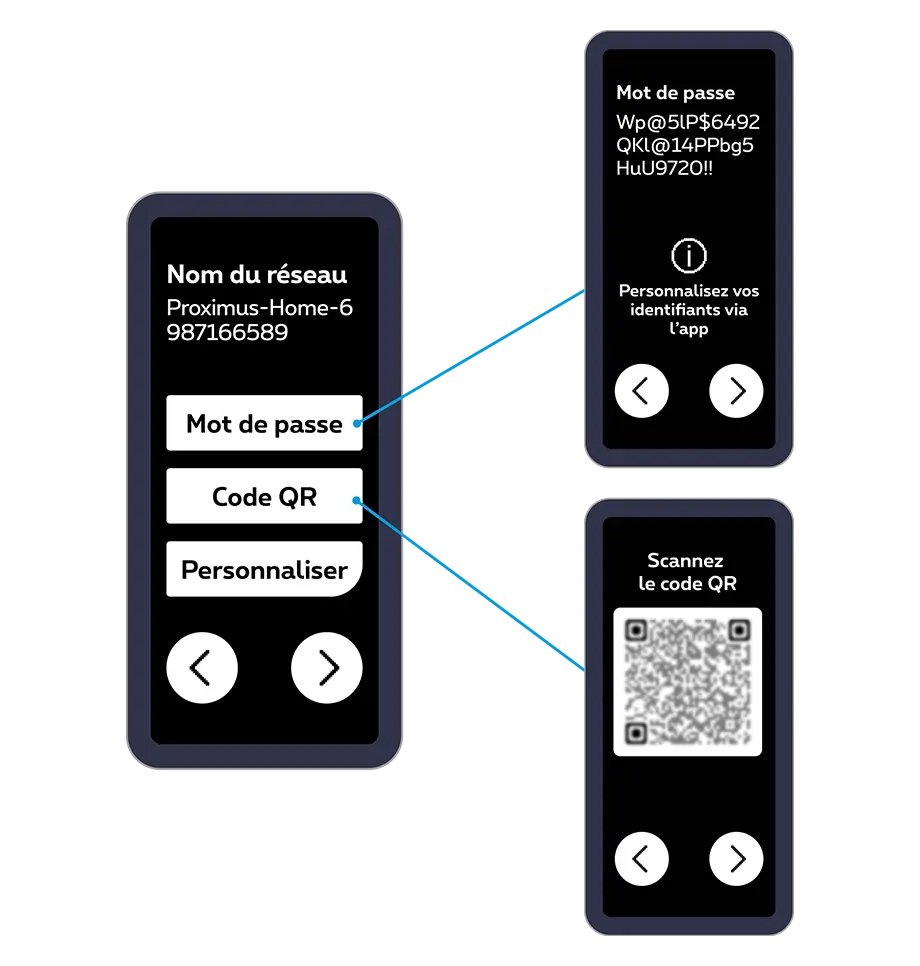

You can share and customise your Wi-Fi access codes via the Proximus+ app, under ‘Internet’.
There you go – you can now enjoy the Internet!