View all guides
Modem 5G
Installation GuideBefore you begin
With this Modem 5G, your Internet connection is guaranteed. It will automatically switch to a 5G connection if your fixed Internet connection is interrupted.
Please ensure you have an Internet Box or a higher-spec model.
Required components for the installation
- The Modem 5G
- The power supply cable
- The Ethernet cable
Position the Modem 5G
Place your Modem 5G near your Internet Box+ in a location with good 5G coverage.

Connect the Modem 5G to the Internet Box+
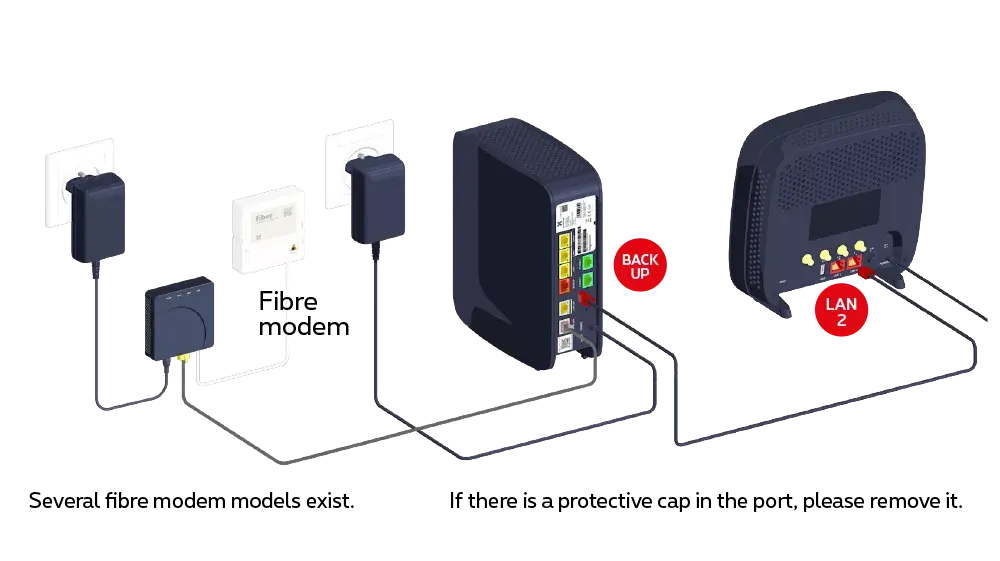
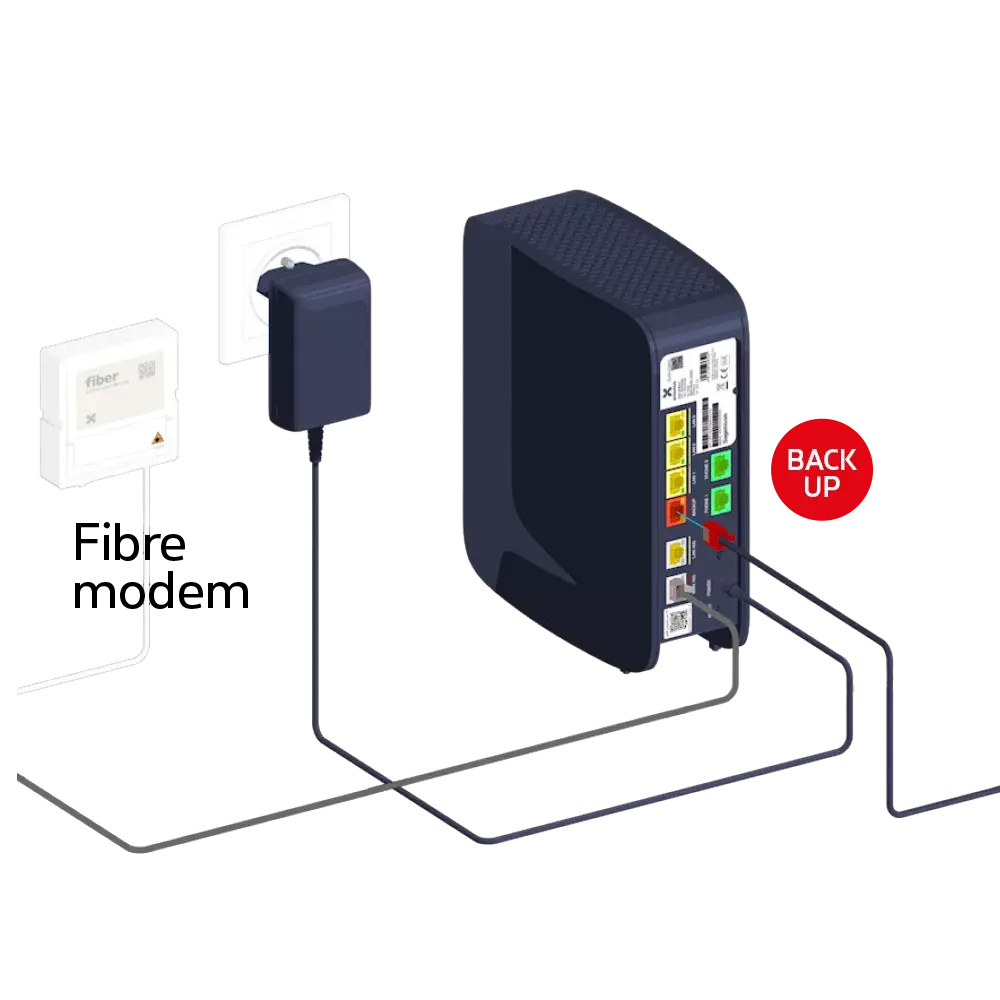
Use the Ethernet cable and connect it to the red BACKUP port, after removing – if necessary – the plastic cover that prevents incorrect use of the port on the back of the Internet Box+. Connect the other end of the cable to the Red LAN 2 port on the Modem 5G.

Switch on the Modem 5G
Connect the Modem 5G’s power cable to a power socket.

At the rear, the switch is in the “ON” position

Configuration and automatic updates for the Modem 5G
Then wait a few minutes for the device to configure itself automatically.


The number of bars on the modem indicates the strength of the 5G signal received.
If the signal is weak (few bars), you can move the modem to another location to improve reception. If necessary, use a longer Ethernet cable.
If the signal is weak (few bars), you can move the modem to another location to improve reception. If necessary, use a longer Ethernet cable.
There you go – your Internet connection is sorted!