Operate your home cinema system with the Proximus remote control
Before starting, we ask you to pick up the remote control of your home cinema set and your Proximus remote control. The aim is to transmit the codes from one remote control to the other.
For example, you can copy your home cinema's volume control to the Proximus remote.
Click on your remote control and follow the steps below
Remote control V7
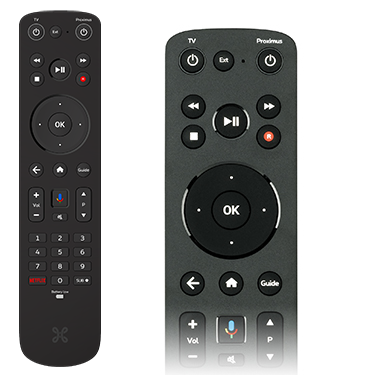
The following buttons cannot be reprogrammed:









- Simultaneously press
 and
and  on your Proximus remote control for 3 seconds. The indicators will not be lit while you do so. After 3 seconds the
  indicator will come on.
 - Next, press the button of your Proximus remote control which you wish to reprogram.
Once the indicator on the remote control lights up briefly, your Proximus remote control is ready to receive the codes.
If you selected a button which cannot be reprogrammed or if you waited too long (30 seconds) before continuing with the next step, the red indicator will flash a few times very briefly, after which it will go out and the remote control will return to operating mode.
Transmitting the codes to the Proximus remote control
- Now hold the remote control of the device (in this example, your home cinema set's remote control) 3 to 6 cm away from the Proximus remote control (the top ends of the remote control units should be facing each other).
- Press the button of the remote control of the device which you want to copy to the Proximus remote control.
- The functions will have been successfully copied to the Proximus remote control if the red indicator flashes briefly.
- The remote control returns to operating mode.
- To program other buttons, go back to step 1.
Contrôler votre Home cinéma via la télécommande Proximus TV Avez-vous un système surround ou Home Cinema ? Vous pouvez transférer certains boutons de sa télécommande vers la télécommande Proximus TV. Vous n'avez donc plus besoin d'utiliser en permanence deux télécommandes différentes, car tout peut être regroupé sur la télécommande Proximus.
Remote control V5
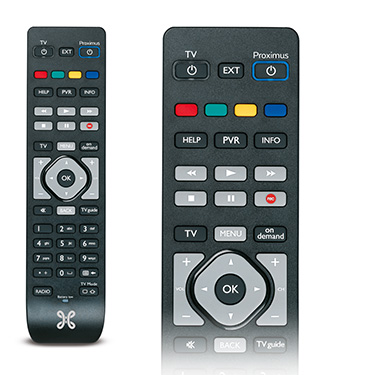
You cannot control your home cinema with this remote control.