Service disruption on our network
{{staAnnouncement}}
Set up parental control via Pickx.be
Click your name in the top right corner, then tap Settings.
Enter your code (default: 1234).
You have the following options: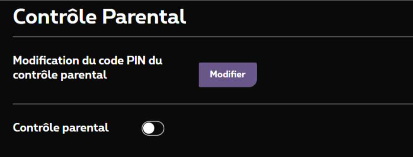
- Change the parental control PIN code: tap Change.
- Turn parental control on or off: tap the button next to Parental control.
If parental control is on, you can:- Select the age: choose the age to block content.
- Hide titles: enable Hide titles.
Changes only apply to the MyProximus account you are logged in with.
Forgot your PIN code? Call 0800 99 696 and have your customer number ready ( where can you find your customer number? ). We will reset the PIN code (1234).
Is your problem solved
No, I need more help
Yes, thank you!